
Connecting USAePay
Connecting to USAePay uses API credentials. You generate a source key and a PIN in the USAePay console and enter them in the connection settings.
To set up USAePay you need to create a source key and PIN:
-
Log in to USAePay at usaepay.com/login.
-
Select Settings in the top navigation.
-
Select Source Keys in the secondary navigation.
-
Select Add Source.
-
Name your source — for example, Online Payments — and add a secret PIN (for example,
12345), then select Save.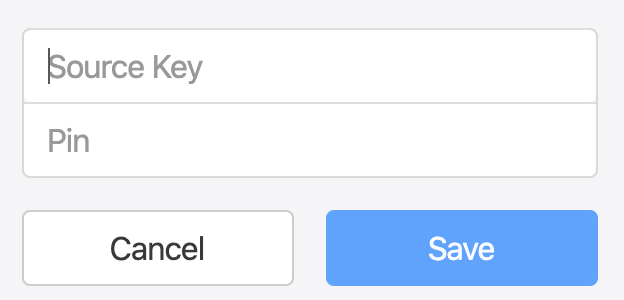
-
Copy the Key from the list of sources, along with the PIN you created, into the corresponding boxes on the USAePay configuration screen.
Connection options
Section titled “Connection options”- Enable ACH / Bank Transfer: Accept bank account (ACH) payments in USD. The
payment method must also be enabled on your USAePay account.
-
Webhook URL: Read-only. The address to register as a webhook in your USAePay console so USAePay can report ACH status changes. It is shown once the gateway has been saved, because it includes the gateway’s key, and the Webhook Signature Key box appears with it. See Setting up the webhook.
-
Webhook Signature Key: Optional. The USAePay webhook Signature Key (
wsig:...) from your USAePay console. Supplying it lets USAePay report as soon as an ACH payment settles or is returned; leave it blank and the integration falls back to scheduled polling, which is slower but still reconciles the payment. -
ACH Type (MOTO): The ACH entry class (SEC code) sent on ACH payments taken by staff or by phone, where the customer is not entering their own details. This includes payments taken through the Twilio and Telnyx Pay connectors.
- USAePay account default: No entry class is sent, so the default set on your USAePay account applies. This is the setting for new gateways.
- TEL - Telephone-initiated: For one-off debits the customer authorises over the phone.
- PPD - Prearranged Payment and Deposit: For debits the customer has authorised in advance, in writing.
ACH payments the customer enters themselves, such as through checkout or a payment link, are not affected and use your USAePay account default.
-
ACH behaves differently from cards — see ACH payments and returns before enabling it.
Payment methods
Section titled “Payment methods”You can enable additional payment methods on your USAePay account and configure them in the USAePay console.
Was this page helpful?
What went wrong?
Thanks for telling us.