
Connecting Opayo
The Opayo integration uses API keys to connect. Opayo only allows a single set of API credentials per account, so if you are already using Opayo, find your existing keys rather than generating new ones.
To generate new credentials:
-
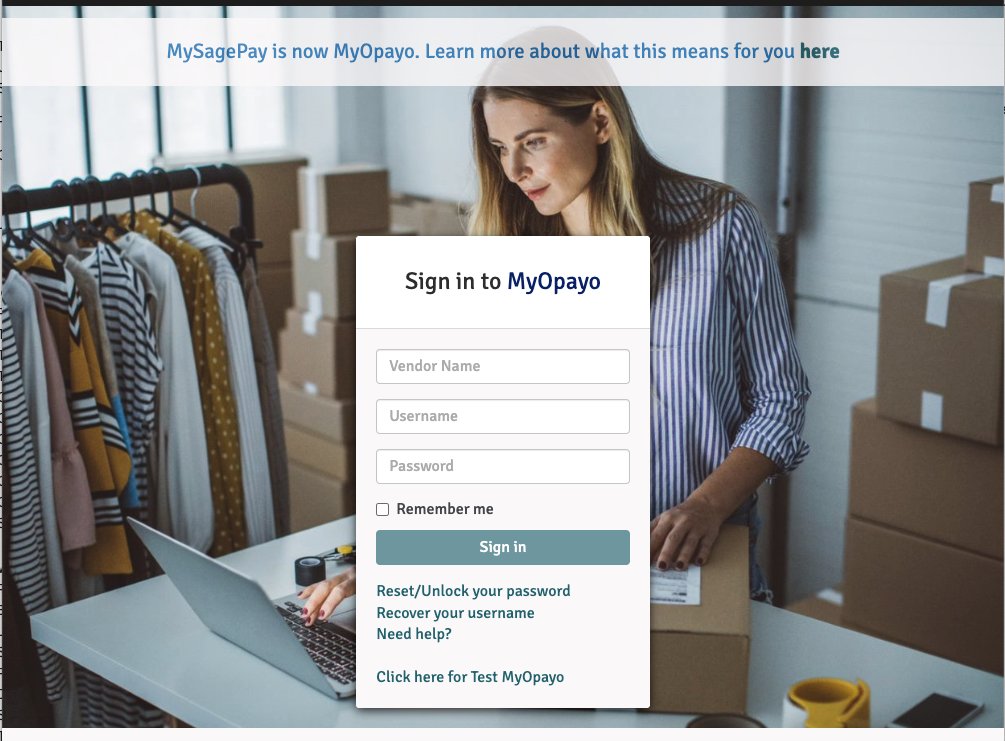
Log in to MyOpayo at live.opayo.eu.elavon.com/mysagepay/login.msp.
-
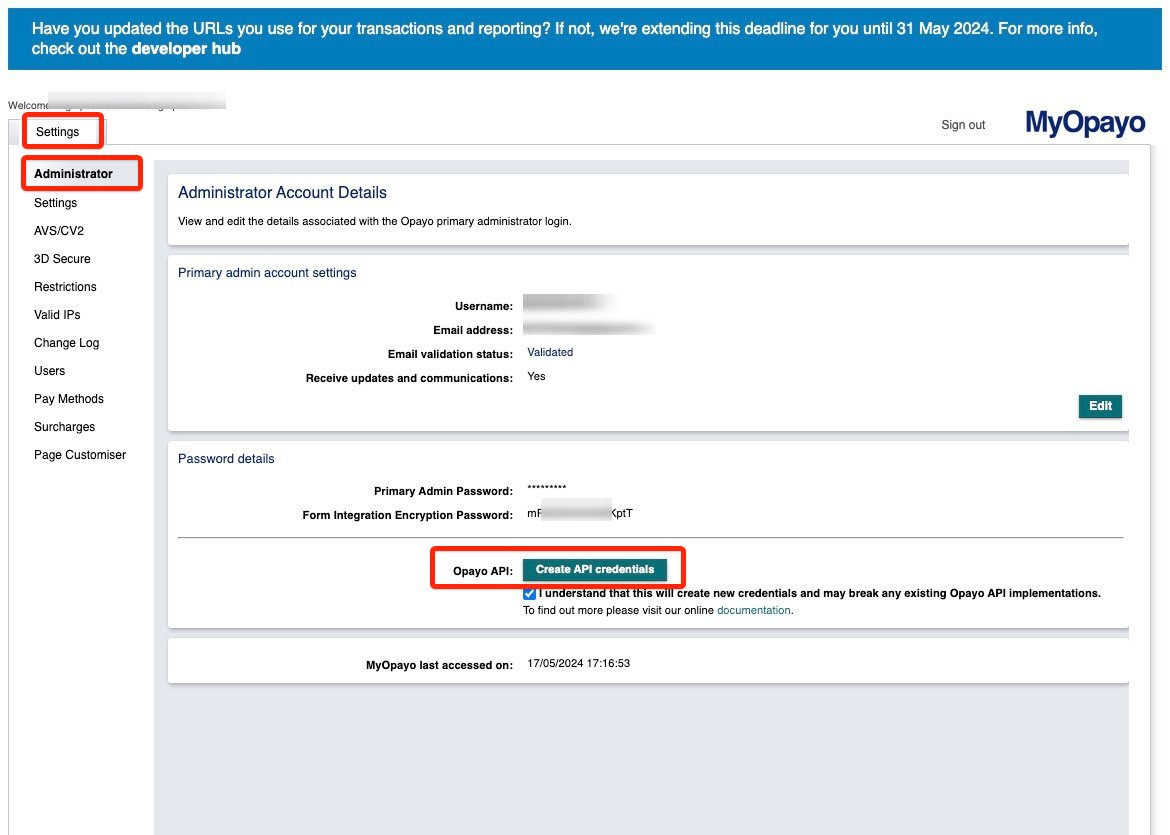
Go to Settings → Administrator → Opayo API → Create API Credentials. You will need to select the I understand checkbox before you can click the button.
-
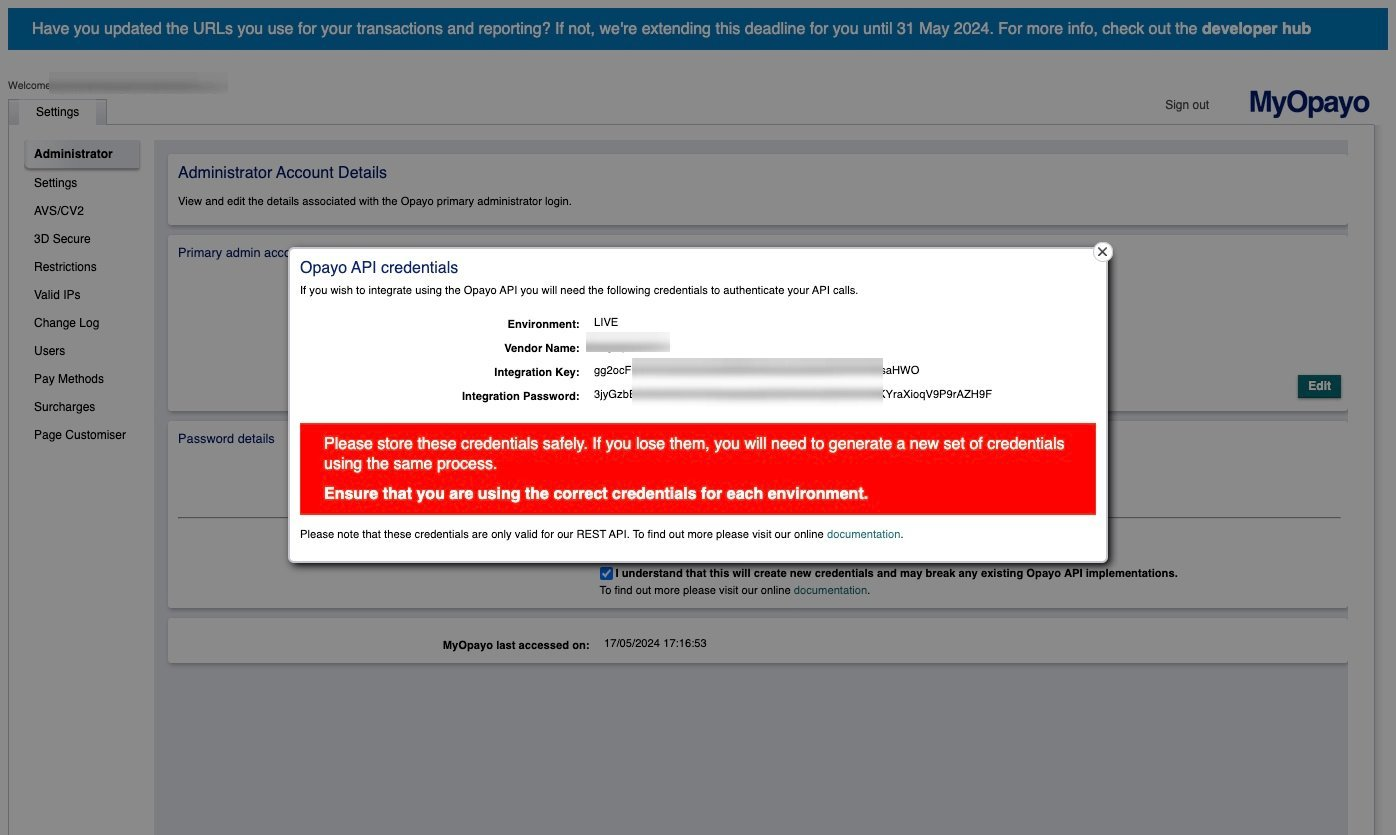
Note your Vendor Name, Integration Key, and Integration Password.
-
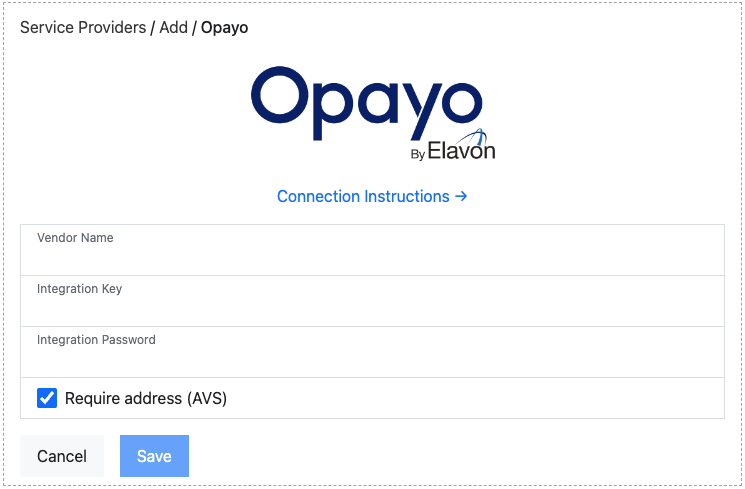
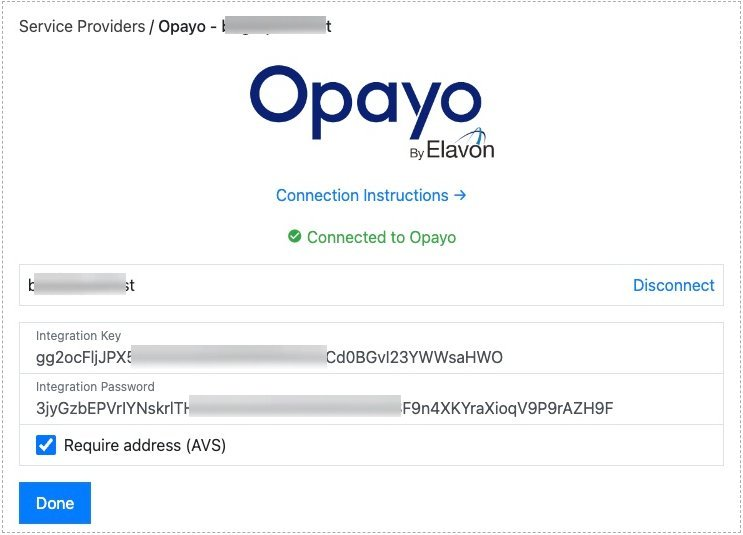
Select Opayo from the service provider list, then enter the Vendor Name, Integration Key, and Integration Password.
-
The connection is tested and you are shown a green “Connected to Opayo” message.
Connection options
Section titled “Connection options”Our integration with Opayo offers the following option:
- Require address (AVS): Requires the cardholder’s billing address to be entered during checkout.
For details on how saved cards are handled, see Working with Opayo.
Was this page helpful?
What went wrong?
Thanks for telling us.