
Connecting Cybersource
Cybersource is an enterprise gateway that is often white-labelled by other brands. It is common to use this integration to connect to an alternatively branded platform such as NAB (National Australia Bank).
To connect to Cybersource you need three credentials:
- Organization ID
- Key
- Shared Secret Key
The Organization ID is the one you use to access the Cybersource console. It is an alphanumeric string.
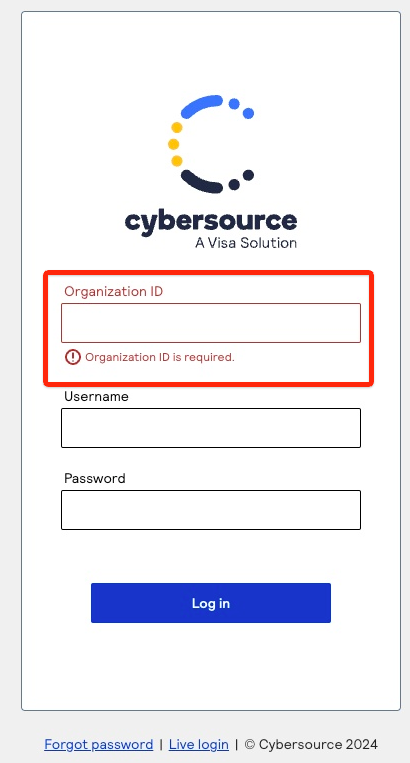
-
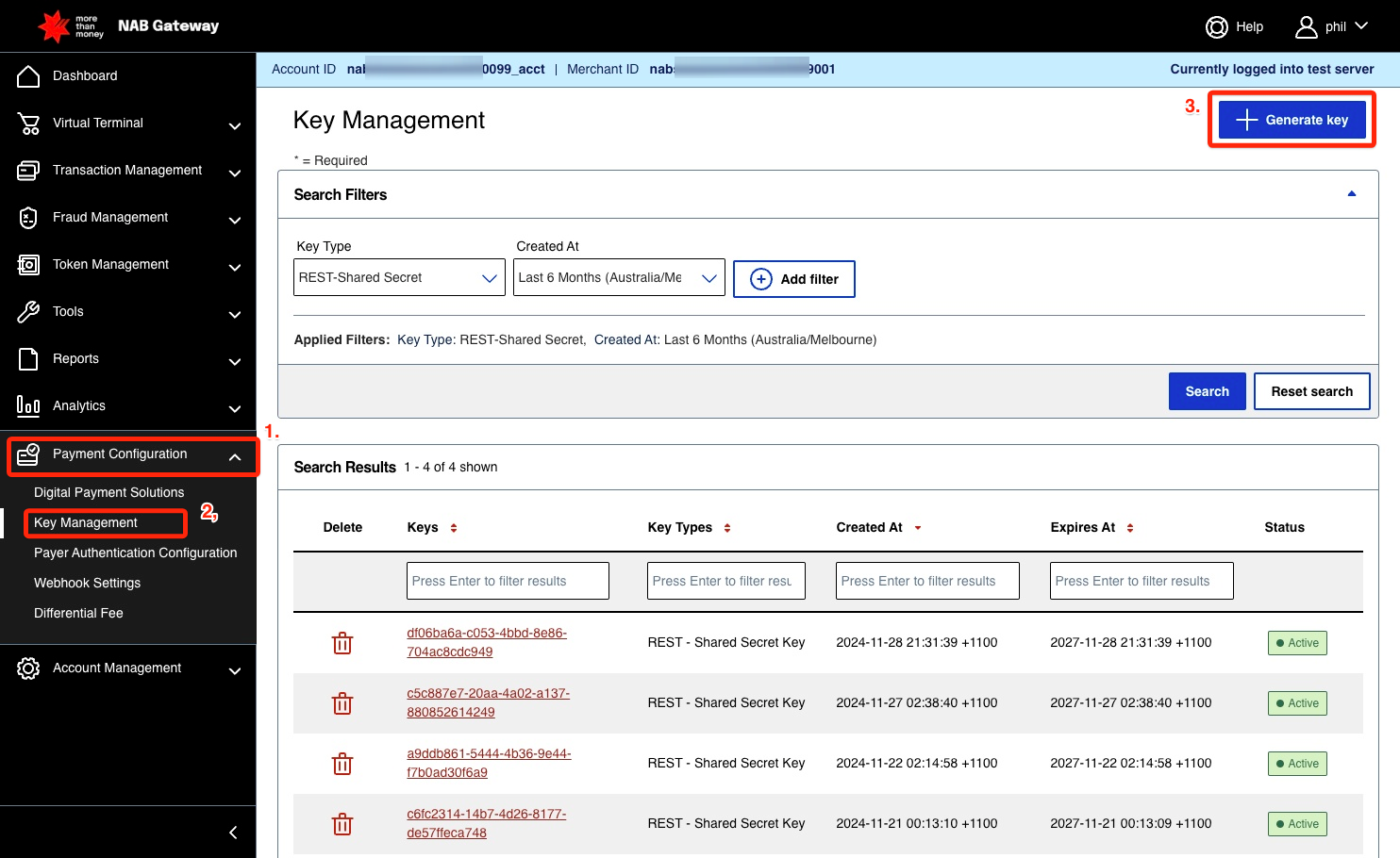
Log into the Cybersource (or alternatively branded) console, and navigate using the left-hand menu to Payment Configuration then Key Management, and select + Generate Key.
-
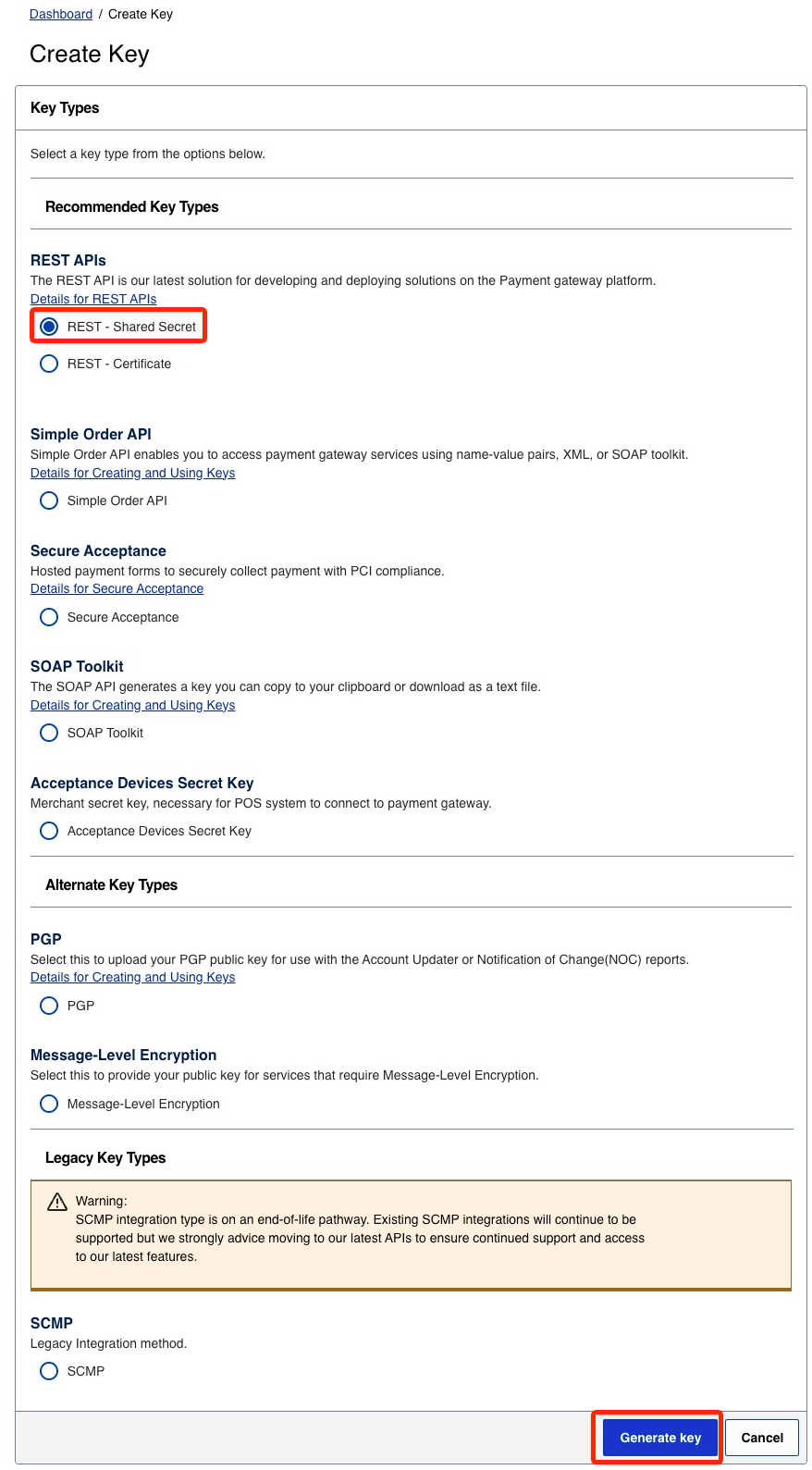
A Create Key screen will display. It should be pre-populated with the correct values — you just need REST APIs using a REST - Shared Secret. Confirm this is all that is selected and choose Generate Key.
-
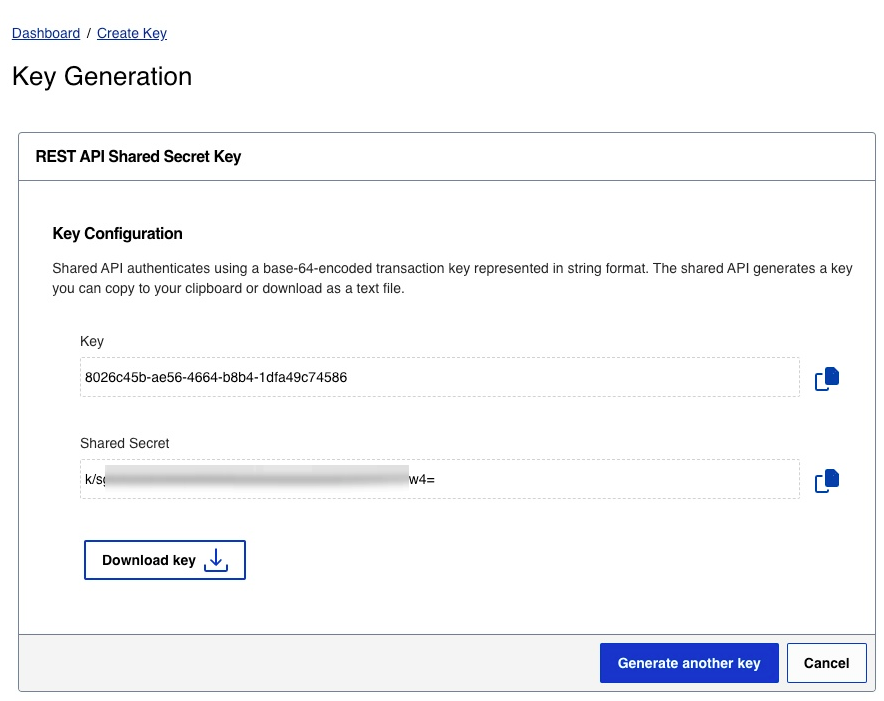
Note down (or download) the Key and Shared Secret.
-
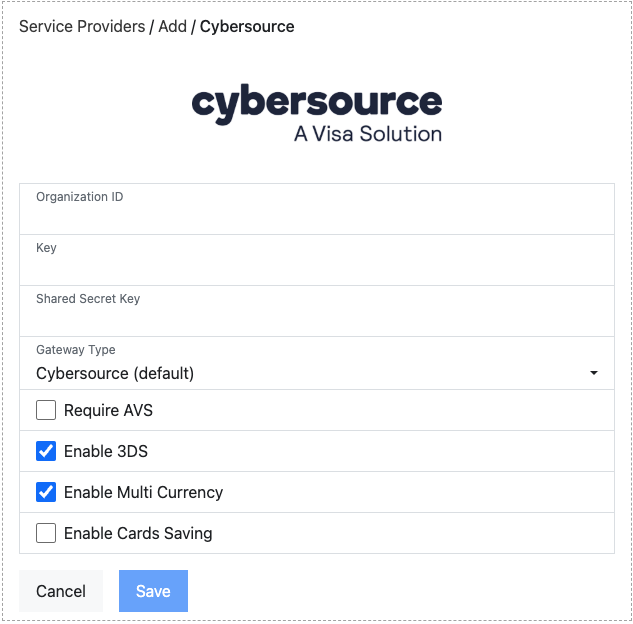
In the setup screen, enter the Organization ID, Key, and Shared Secret Key (the Shared Secret from the previous step). In Gateway Type, select the brand you are working with (for example Cybersource, NAB, or another bank). If the brand is not listed, select Other and notify support@shuttleglobal.com.
-
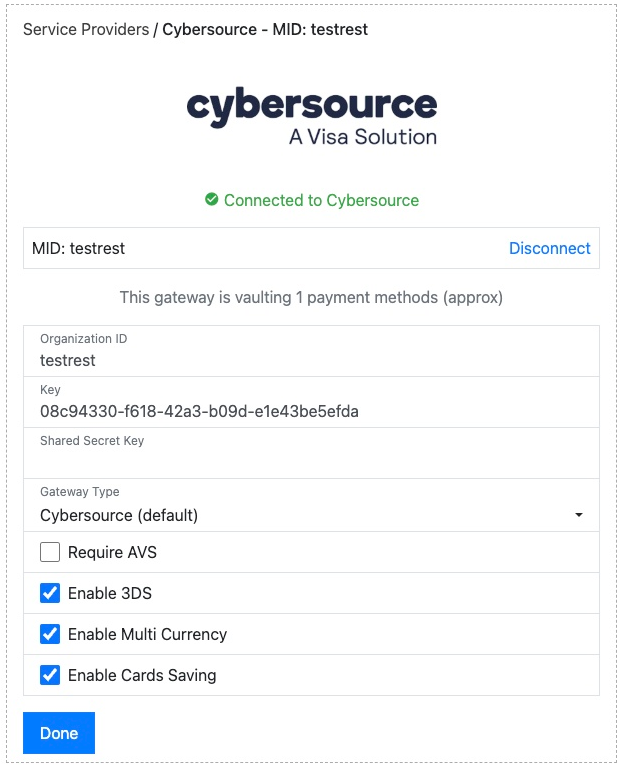
Once connected, you will be presented with a green “Connected to Cybersource” message. The Shared Secret Key will not be displayed.
Connection options
Section titled “Connection options”Our integration with Cybersource offers several options:
- Address Verification: How much of the billing address the customer is asked
for. NAB customers must choose one of the address options; NAB requires AVS.
- Disabled (the default): no address requested.
- Full Address (incl. email): billing address and email address.
- Full Address (relaxed): billing address.
- Zip Only (relaxed): billing postcode only.
- Enable 3DS: If you have 3DS enabled on your Cybersource account, select this to ensure secure customer authentication is applied to appropriate transactions.
- Enable Multi Currency: Cybersource supports both multi-currency and single currency configurations. If you have a single currency account, currency is ignored by Cybersource — deselect this and select the currency of your account when prompted. NAB users must deselect this and choose AUD.
- Enable Cards Saving: Allows card vaulting (tokenisation) on your account. Confirm with your gateway that you are able to access this feature, then select this checkbox accordingly.
For sandbox testing details, see Cybersource sandbox credentials.
Was this page helpful?
What went wrong?
Thanks for telling us.