
Generic
The Link Generator can be used with any software platform by using it as a standalone application in a separate browser tab.
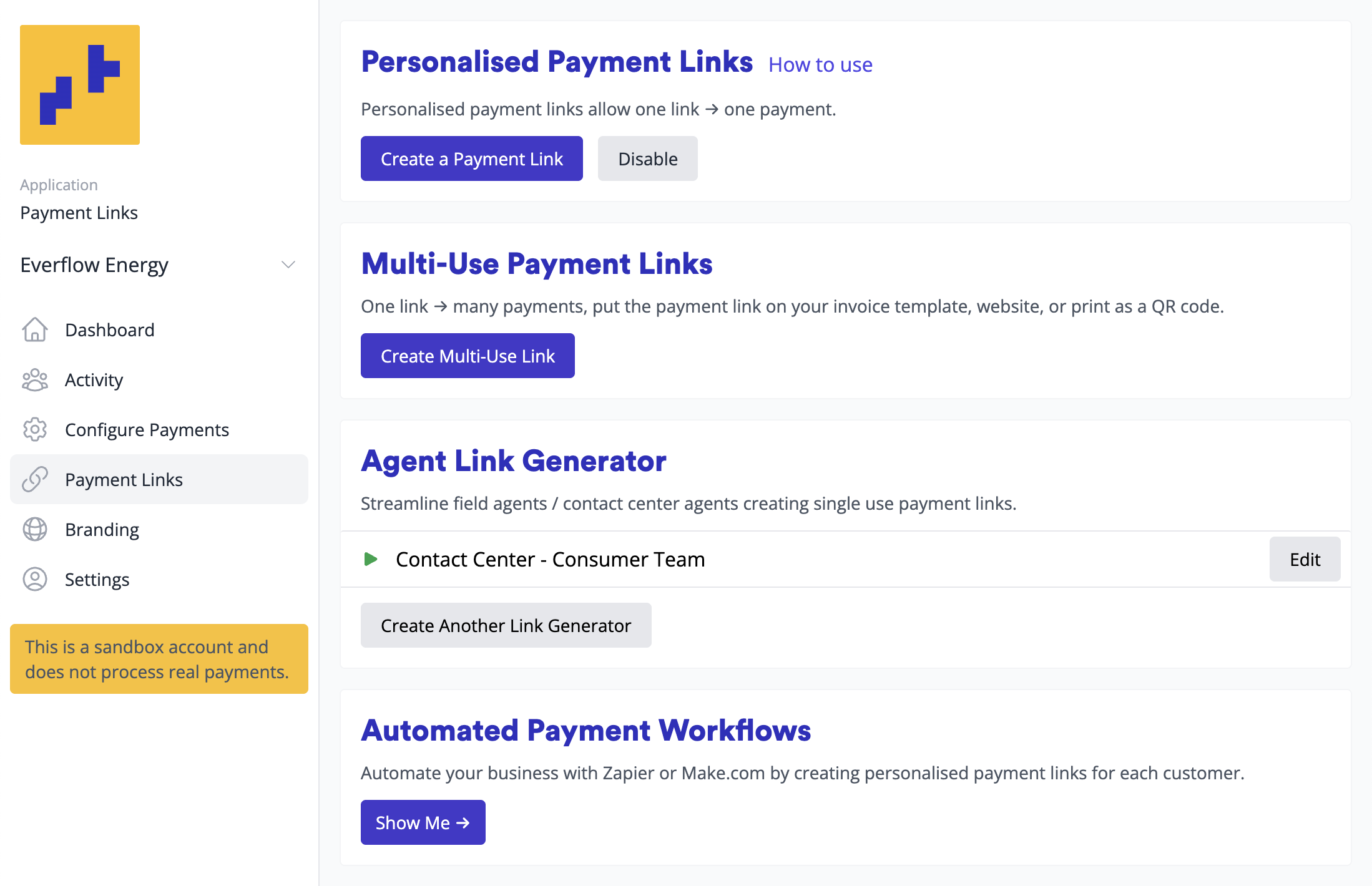
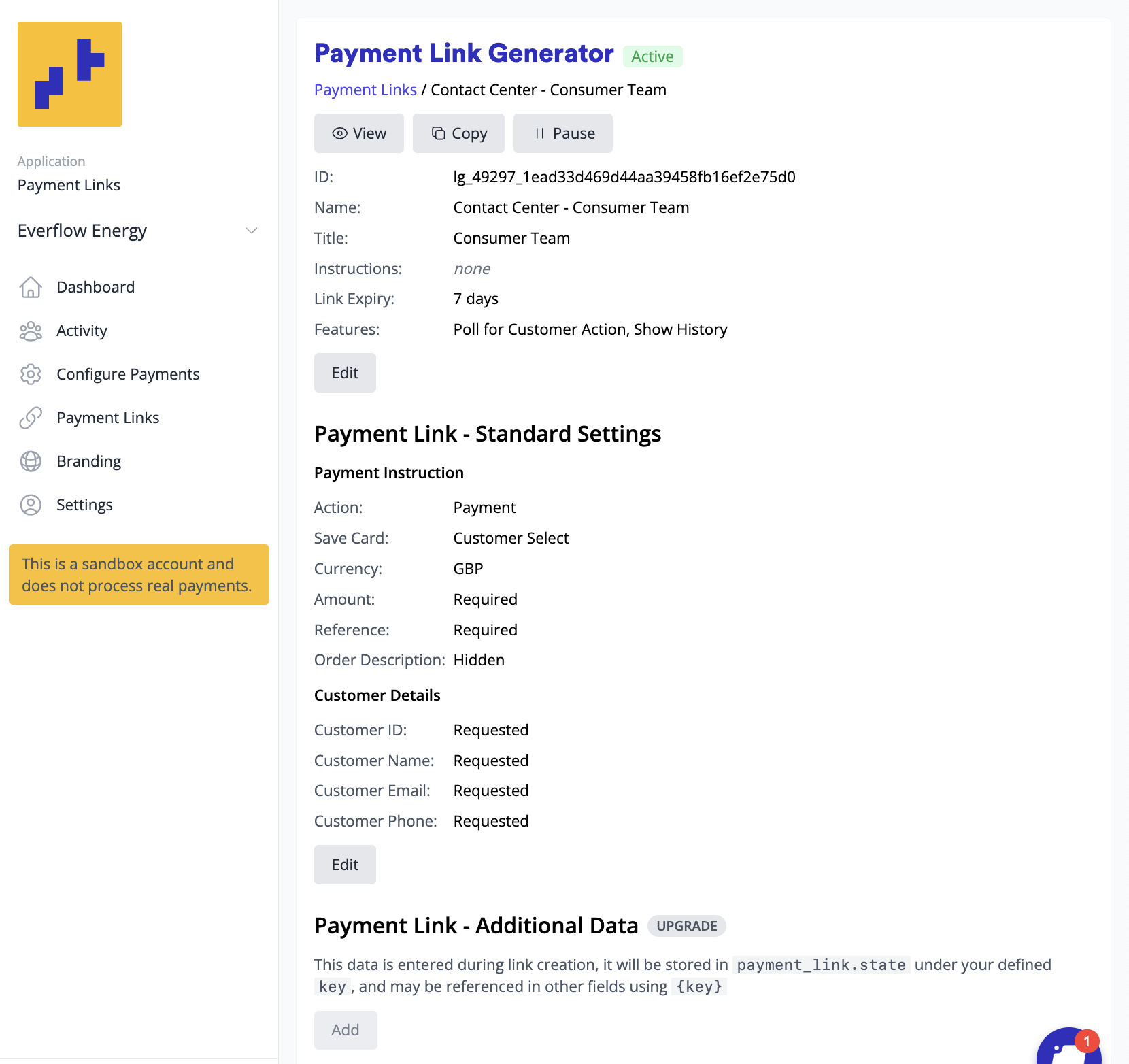
- Open your link generator from Payment Links in the Merchant Portal menu, or copy its address from Configure > Payment Links (see Via the Agent Link Generator)
- Create a bookmark for easy access
- For mobile devices: Save to your home screen for quick access
The Link Generator is mobile-optimized, perfect for when you’re on the road. For example, field agents can quickly create and send payment links for deposits or authorisations without returning to the office or opening a laptop.
Using the link generator
Section titled “Using the link generator”- Open the Link Generator bookmark, in a standalone window, or as an iFrame in your application
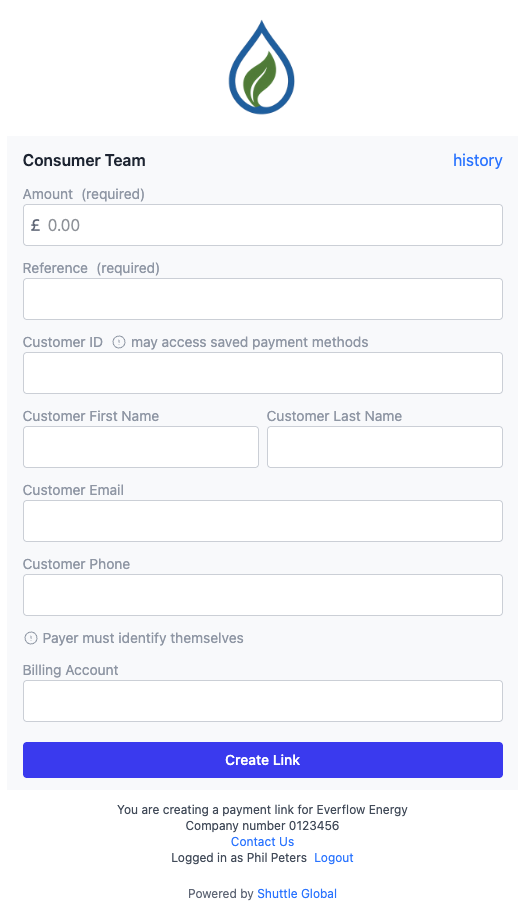
- Enter amount, reference, and customer details
- Set appropriate expiry time:
- 30 minutes for web chat interactions
- 7+ days for invoices or documents
- Tip! You can configure an appropriate expiry time on the Link Generator setup page rather than on every link
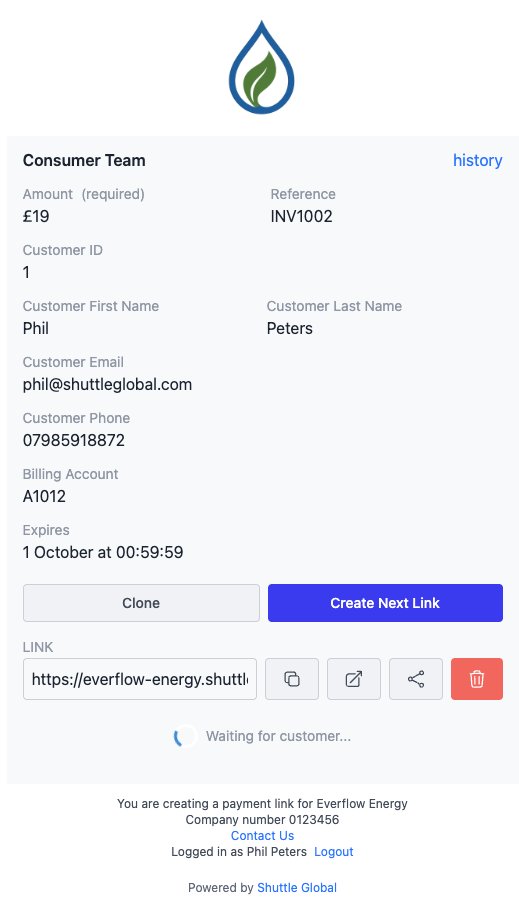
- Create and copy the payment link
Auto-filling customer details
Section titled “Auto-filling customer details”It’s possible to auto-fill the link generator, either via URL query string or window.postMessage, contact support with information about your use case for further information.
Sharing the payment link
Section titled “Sharing the payment link”Direct Communication:
- SMS or messaging apps
- Web chat (Intercom, live chat, etc.)
Software Platform Integration: Paste into platforms that will communicate with the customer:
- Invoice systems
- DocuSign documents
- CRM systems
Monitoring payments
Section titled “Monitoring payments”Keep the Link Generator window open after creating a link to:
- See when the customer opens the link
- Monitor their progress through the payment process
- View real-time status updates
Email Notifications: You can enable email alerts for paid links, but note this emails you for every payment link completion, not just ones you created. This works best for smaller businesses.
Automated fulfilment: To act on completed payments automatically, use our Zapier or Make.com integrations. See Via workflow automation.
Was this page helpful?
What went wrong?
Thanks for telling us.