
Plans and billing
For current prices, see QuickBooks app pricing. For Shuttle’s other products, see Pricing.
Free plan
Section titled “Free plan”The free plan records payments in QuickBooks automatically, saves customers’ cards with your payment provider, and includes part payments and email notifications. Shuttle charges no per-transaction fees on any QuickBooks app plan. Your payment provider still charges its own fees.
What the Basic plan adds
Section titled “What the Basic plan adds”The Basic plan is for businesses that want the payment page to carry their own brand:
- No advertising. We remove Shuttle’s advertising from the payment page your customers see.
- Your logo on the payment page.
- Your own payment link address, so the link your customers open looks like yours.
- Email support.
Set up your logo and link address under Branding. See Link branding.
Change your plan or billing details
Section titled “Change your plan or billing details”-
Log in to the Shuttle app.
-
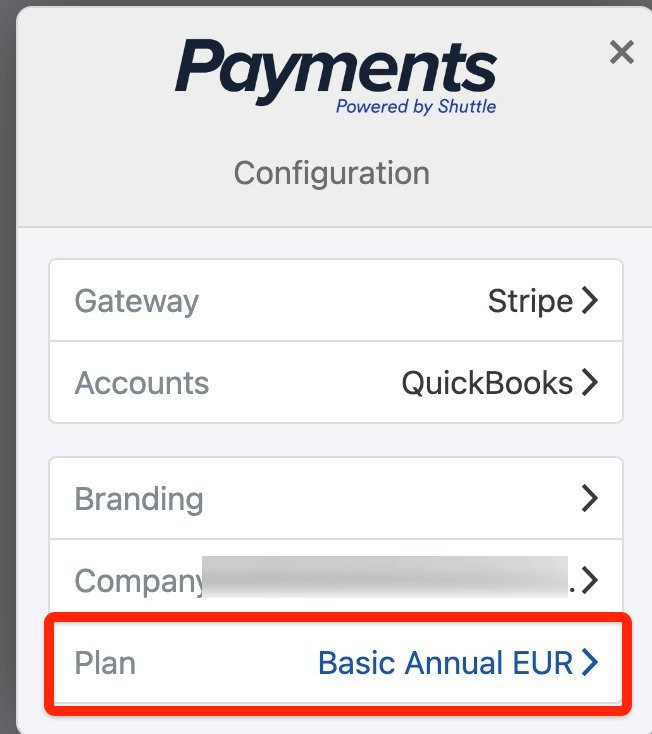
Select View Configuration, then Plan.
-
Change your plan or billing details, and save.
Cancel or close your account
Section titled “Cancel or close your account”- To cancel your subscription, select View Configuration, then Plan, and follow the steps. If you’ve disconnected QuickBooks but still have a paid plan, the QuickBooks screen also shows Cancel Subscription.
- To close your account, select View Configuration, then Company, then Terminate Account. Terminating your account deletes all activity related to this company.
Was this page helpful?
What went wrong?
Thanks for telling us.