
Record payments in QuickBooks
The Shuttle app can add each payment it takes to QuickBooks, with notes, as soon as it’s taken.
Before you start
Section titled “Before you start”- You need an account in QuickBooks to record payments against. Follow QuickBooks’ instructions to set one up.
- Use your Undeposited Funds account (called Payments to deposit in some QuickBooks files). An online payment usually takes a few days to reach your bank, so when it’s taken you’re expecting the money rather than holding it.
- The full amount is recorded. The app doesn’t take your payment provider’s fees off, so record those separately.
- Currencies must match. A payment is only recorded if its currency matches the account’s. See Payments in other currencies.
Turn on recording
Section titled “Turn on recording”-
Log in to the Shuttle app from QuickBooks.
-
Select View Configuration.
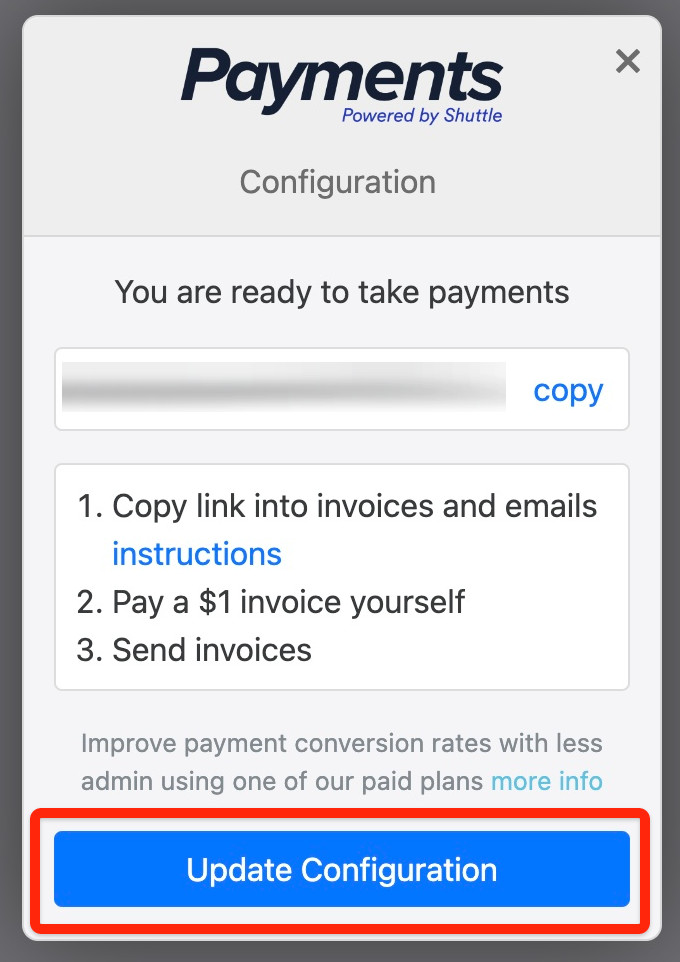
-
Select Accounts > QuickBooks.
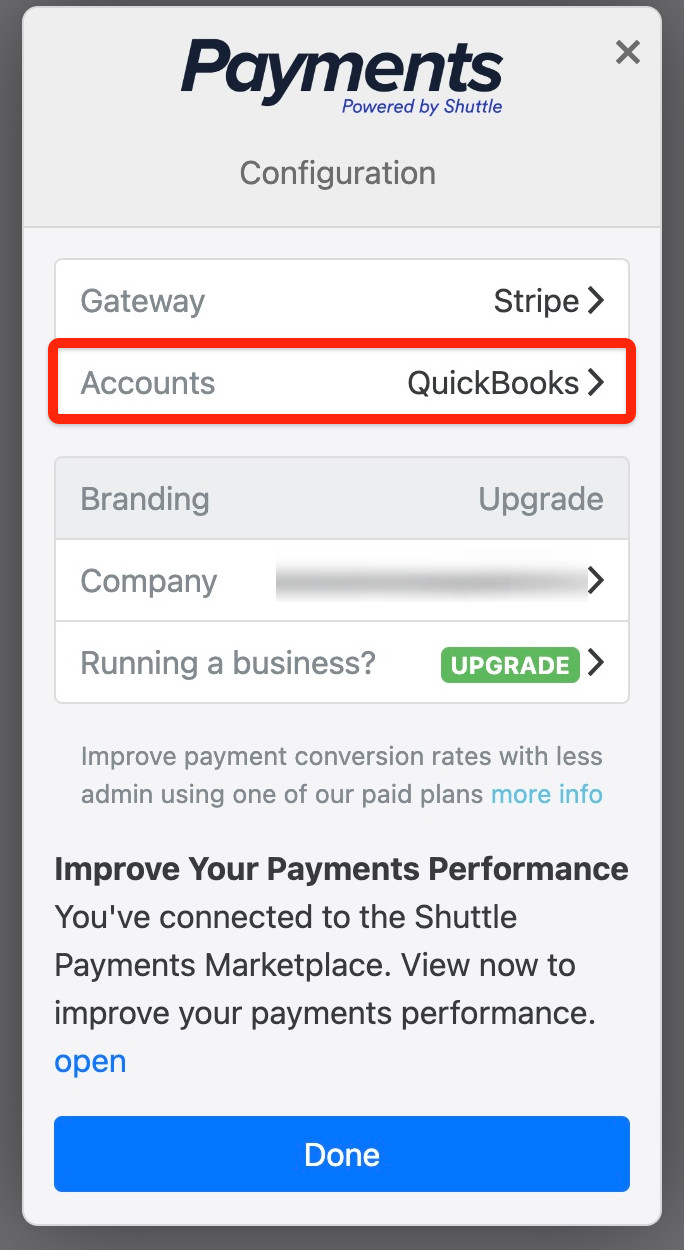
-
Tick Add payments to QuickBooks.
-
Choose the account to record payments against, then select Save.
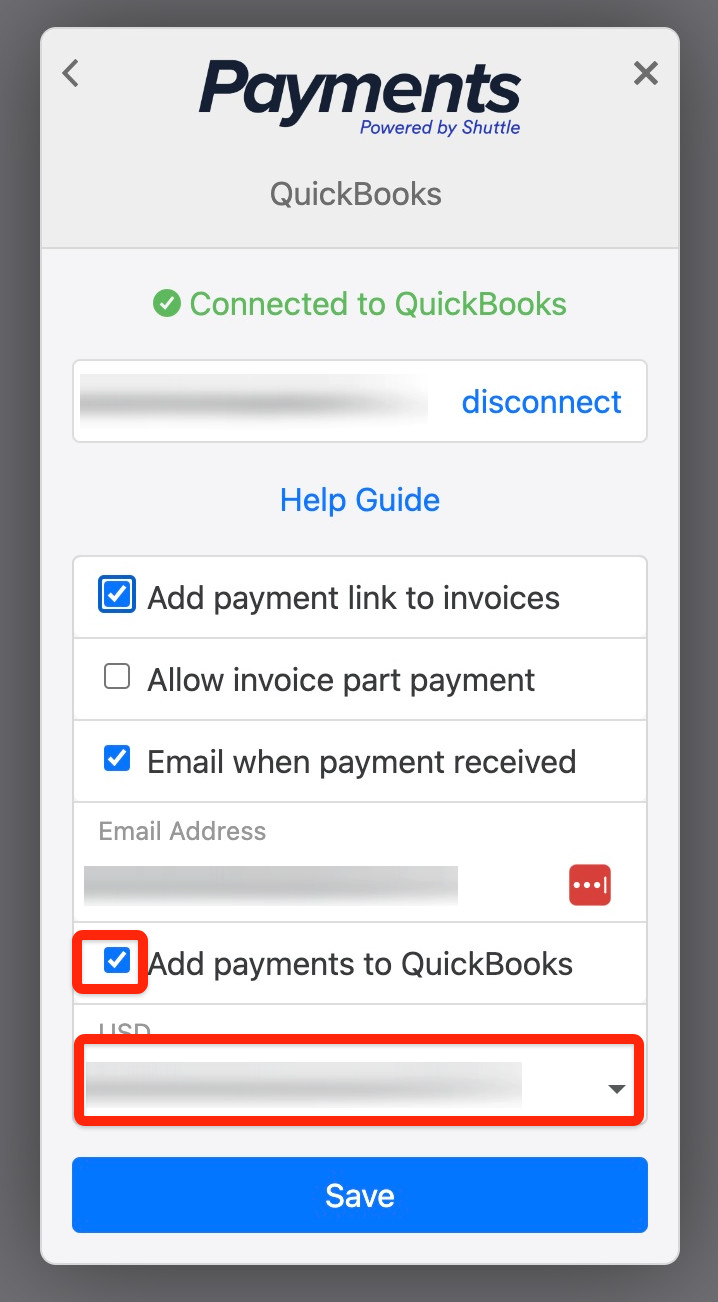
Payments in other currencies
Section titled “Payments in other currencies”Each payment is taken in the invoice’s currency, so your payment provider has to support that currency.
The app only records a payment when its currency matches the account you’ve chosen. To record payments in another currency:
- In QuickBooks, set up an account in that currency, for example a USD bank account. QuickBooks’ Multicurrency setting has to be on first, and once it’s on it can’t be turned off.
- Log in to the Shuttle app, select View Configuration, then Accounts > QuickBooks.
- Choose the new account in the bank accounts list, then select Save.
Payments taken outside the app
Section titled “Payments taken outside the app”The app only records the payments it takes for your QuickBooks invoices. It doesn’t copy other payments from your payment provider into QuickBooks, such as other Stripe payments. For those, look for a transaction sync app in the QuickBooks App Store.
Was this page helpful?
What went wrong?
Thanks for telling us.