# Generic
> The Link Generator can be used with any software platform by using it as a standalone application in a separate browser tab.
The Link Generator can be used with any software platform by using it as a standalone application in a separate browser tab.
## Setup
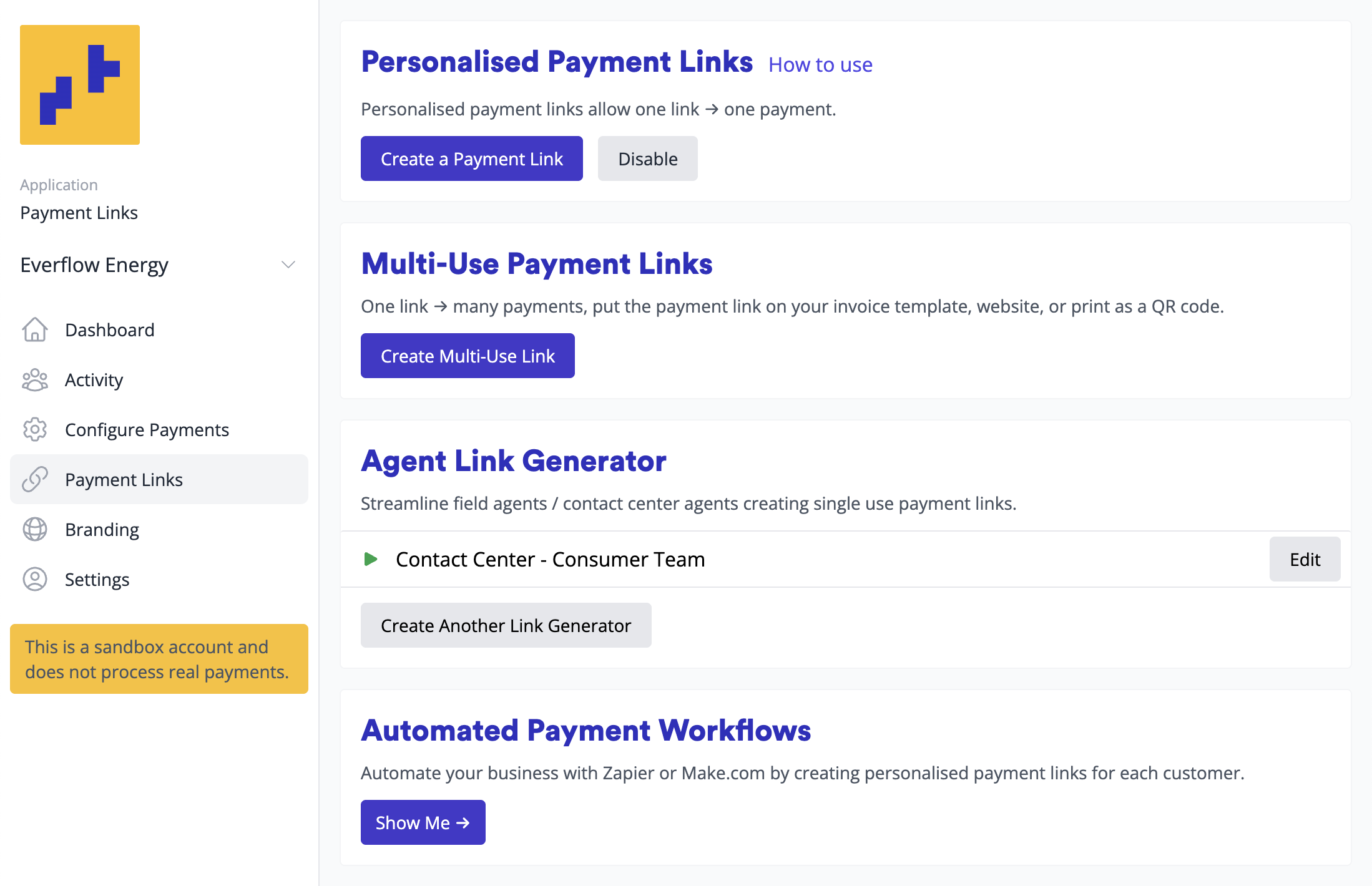
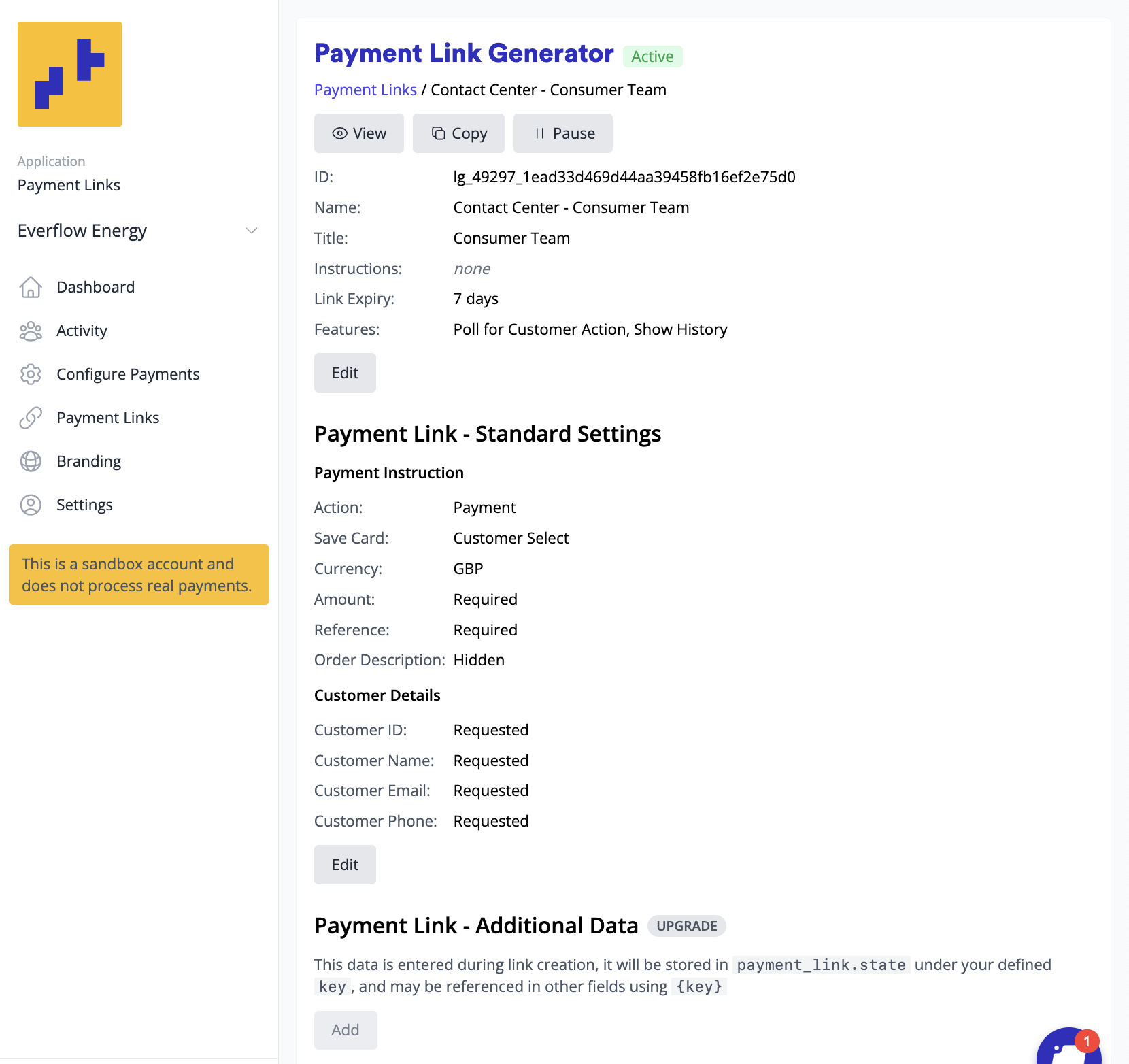
1. Open your link generator from **Payment Links** in the Merchant Portal menu, or copy its address from **Configure** > **Payment Links** (see [Via the Agent Link Generator](/merchants/payment-links/single-use-via-agent-link-generator/))
2. Create a bookmark for easy access
3. For mobile devices: Save to your home screen for quick access
The Link Generator is mobile-optimized, perfect for when you're on the road. For example, field agents can quickly create and send payment links for deposits or authorisations without returning to the office or opening a laptop.
## Using the link generator
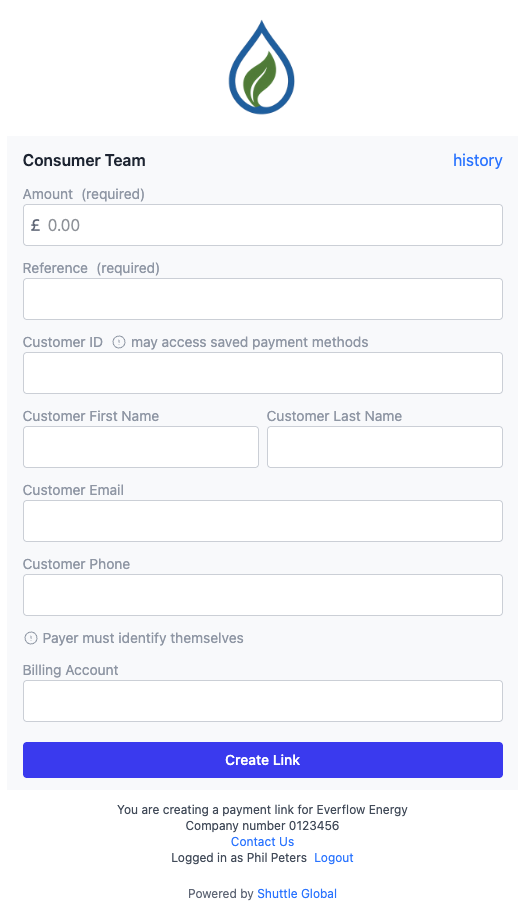
1. Open the Link Generator bookmark, in a standalone window, or as an iFrame in your application
2. Enter amount, reference, and customer details
3. Set appropriate expiry time:
- 30 minutes for web chat interactions
- 7+ days for invoices or documents
- **Tip!** You can configure an appropriate expiry time on the Link Generator setup page rather than on every link
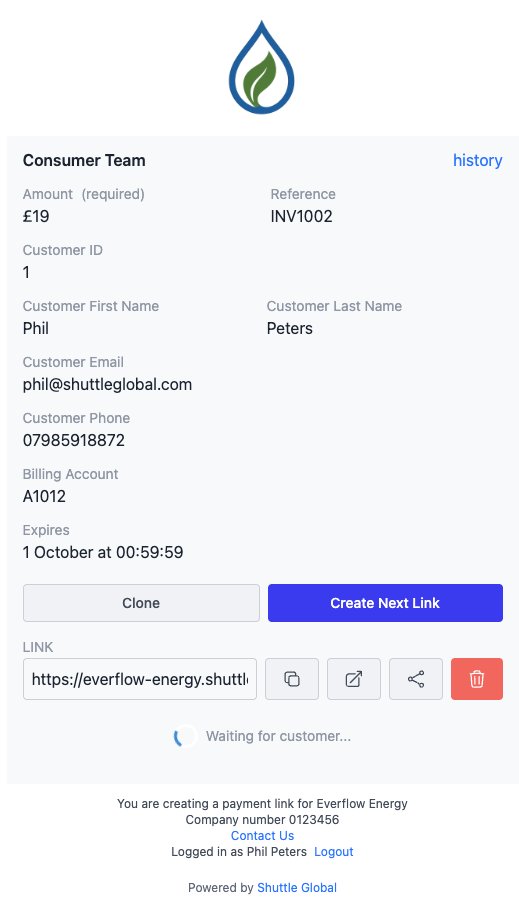
4. Create and copy the payment link
## Auto-filling customer details
It's possible to auto-fill the link generator, either via URL query string or window.postMessage, contact support with information about your use case for further information.
## Sharing the payment link
**Direct Communication:**
- SMS or messaging apps
- Email
- Web chat (Intercom, live chat, etc.)
**Software Platform Integration:**
Paste into platforms that will communicate with the customer:
- Invoice systems
- DocuSign documents
- CRM systems
## Monitoring payments
Keep the Link Generator window open after creating a link to:
- See when the customer opens the link
- Monitor their progress through the payment process
- View real-time status updates
**Email Notifications:** You can enable email alerts for paid links, but note this emails you for every payment link completion, not just ones you created. This works best for smaller businesses.
**Automated fulfilment:** To act on completed payments automatically, use our Zapier or Make.com integrations. See [Via workflow automation](/merchants/payment-links/single-use-via-workflow/).